You’re sitting there, staring at a spreadsheet, or maybe a dozen open browser tabs, each one a product page you need to translate into an eBay listing. You’re meticulously copying titles, descriptions, images, then checking stock levels, adjusting prices, and double-checking everything. An hour passes. Then another. You’ve managed to get a handful of new items up, or perhaps updated a fraction of your existing inventory. The thought of doing this for hundreds, or even thousands, of products feels less like running a business and more like an endless, repetitive chore. Sound familiar?
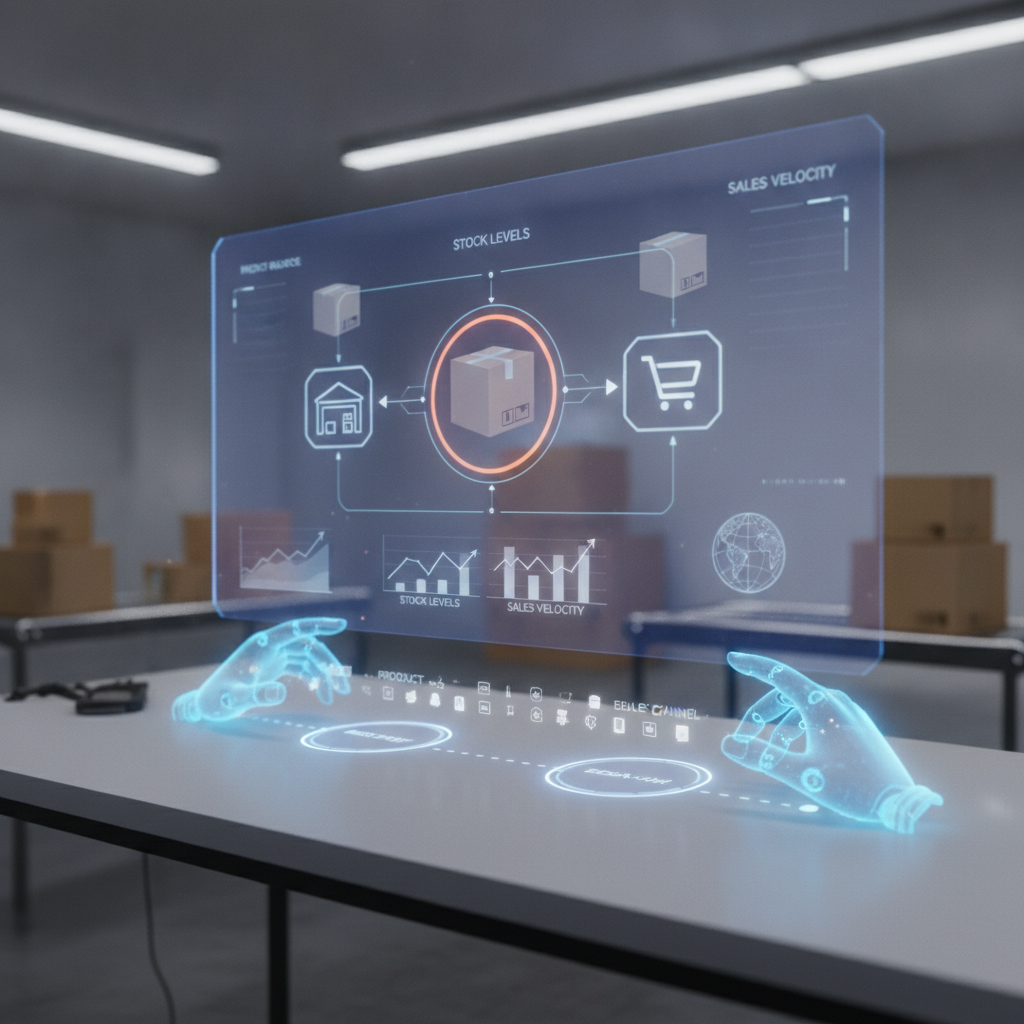
This isn't just about being busy; it’s about being stuck. The manual grind of dropship inventory management is a hidden bottleneck for countless eBay sellers, especially those who are just starting out or running lean operations. It eats into your most valuable resource – time – and opens the door to costly errors, missed sales, and a general feeling of overwhelm. Many sellers know they need a better way, but the world of "automation" often sounds complex, expensive, and full of intimidating APIs. What if there was a simpler, more practical path?
The Invisible Drain: Why Manual Inventory Management Is Stalling Your eBay Growth
Let's be honest: nobody starts an eBay dropshipping business because they love data entry. You get into it for the freedom, the potential for profit, and the excitement of connecting buyers with products. Yet, for many, the reality quickly becomes a daily battle against manual tasks. This isn't just inefficient; it's actively detrimental to your business's health and potential.
Consider the cumulative effect of manual work:
- Time is your most precious commodity: Every minute spent manually copying product data, checking stock, or adjusting prices is a minute not spent on strategic activities like finding new winning products, optimizing your marketing, or providing excellent customer service. This constant drain limits your ability to scale and grow.
- The high cost of human error: Mistyped prices, incorrect stock counts, outdated descriptions – these are all common pitfalls of manual processes. A single error can lead to canceled orders, negative feedback, and damaged seller reputation, directly impacting your bottom line and future sales.
- Missed opportunities: The market moves fast. If it takes you days to list new products or update prices, you're losing out on sales to competitors who can react quicker. Similarly, if you can't easily track inventory changes from your suppliers, you risk selling out-of-stock items, leading to frustrated customers and cancelled orders.
- Lack of clear oversight: When everything is managed manually, it's hard to get a clear, real-time picture of your entire inventory. This makes it difficult to make informed decisions about pricing, product selection, and overall business strategy. You're essentially flying blind.
This isn't a problem of effort; it's a problem of method. You're working hard, but the tools and processes you're using are holding you back. The desire to improve sales and work more systematically is real, but the path to get there often feels obscured by technical jargon and overly complicated solutions.
Dropship Inventory Automation: What It Really Means for Your eBay Business
When you hear "automation," your mind might jump to complex software, coding, or expensive enterprise solutions. For many eBay dropshippers, especially those focused on a practical, clear, and fast solution, that's not what automation needs to be. True dropship inventory automation, particularly for non-API workflows, is about streamlining the repetitive tasks that eat up your time, allowing you to focus on growing your business instead of managing minutiae.
At its core, it means transforming raw product data from your suppliers into optimized, compelling eBay listings with minimal manual intervention. It’s about creating a smooth, efficient workflow that:
- Extracts product information: Instead of copying and pasting, a good automation strategy helps you quickly pull essential details like titles, descriptions, images, and variations from supplier websites.
- Optimizes for eBay: Raw supplier data isn't always eBay-ready. Automation helps you clean, reformat, and enhance this data to meet eBay's standards and appeal to buyers. This includes crafting engaging titles, rich descriptions, and selecting appropriate categories.
- Manages pricing and stock: This is where real time-saving happens. An automated system can help you apply pricing rules, track stock levels, and update your listings accordingly, reducing the risk of selling out-of-stock items or missing profit opportunities.
- Simplifies listing creation: Instead of building each listing from scratch, automation allows you to create templates or use pre-defined structures that accelerate the listing process significantly.
The beauty of a non-API approach is its accessibility. You don't need to be a tech wizard or hire one. It works within your browser, integrating seamlessly into your existing workflow without requiring complex integrations or deep technical knowledge. It's built for the everyday seller who needs a practical, straightforward tool that just works.
Practical Strategies for Streamlining Your eBay Inventory Workflow (Without the Headache)
So, how do you actually put this into practice? It starts with looking at your current workflow and identifying the biggest time sinks. Then, you apply smart strategies designed to minimize manual effort and maximize efficiency. Here are some practical steps:
1. Standardize Your Data Sourcing
Before you even think about listing, consider where your product data comes from. If you're sourcing from multiple suppliers, try to standardize how you collect information. This might mean using a consistent method to extract data from their websites or consolidating information into a single format. The cleaner your initial data, the smoother the automation process will be.
2. Master Product Description Generation
Writing unique, compelling descriptions for every product is crucial for eBay success, but it's also incredibly time-consuming. Instead of starting from scratch, develop templates or frameworks for different product categories. Identify key selling points and features that can be automatically inserted or quickly customized. This ensures consistency and saves hours of writing.
3. Automate Pricing Rules and Adjustments
Manual pricing is a constant battle. You need to account for supplier costs, shipping, eBay fees, and your desired profit margin. Instead of calculating each item individually, implement dynamic pricing rules. For example, you might set a rule to always price items at a certain percentage above your cost, or to automatically adjust prices based on competitor activity. This not only saves time but also helps you maintain profitability.
4. Simplify Stock Monitoring and Updates
One of the biggest headaches in dropshipping is managing stock. Selling an item that's out of stock with your supplier leads to cancellations and unhappy customers. A practical automation strategy involves tools that can help you monitor supplier stock levels and automatically update your eBay listings. This reduces the risk of overselling and ensures your listings are always accurate.
5. Leverage a Non-API Listing Workflow
This is where a tool like Dropeex comes into play. Instead of dealing with complex APIs, a non-API listing workflow operates directly through your browser. It acts as a smart assistant, helping you grab product data, format it for eBay, apply your pricing rules, and create listings quickly and efficiently. This approach is ideal for sellers who need a straightforward, practical solution without the steep learning curve or technical requirements of more complex systems. It helps you turn raw product data into stronger, more appealing eBay listings, saving you valuable time and improving your overall workflow.
Beyond Just Listing: How Automation Fuels Your eBay Dropshipping Success
Automating your dropship inventory isn't just about getting listings up faster; it's about fundamentally changing how you operate your eBay business. It's about shifting from reactive, manual tasks to proactive, strategic growth. When you free yourself from the daily grind, a whole new world of possibilities opens up:
- Scale with Confidence: Imagine being able to add hundreds of new products to your store in the time it used to take you to add dozens. Or updating your entire inventory with new prices in minutes, not hours. Automation makes scaling your product offerings and responding to market changes not just possible, but easy. You can expand your niche, test new product lines, and grow your business without needing to hire more staff just for data entry.
- Boost Your Profit Margins: By minimizing errors and enabling dynamic pricing, automation helps protect and even enhance your profit margins. No more underpricing due to oversight, or losing money on cancelled out-of-stock orders. You can be more precise and responsive with your pricing strategy, ensuring you're always competitive and profitable.
- Improve Customer Satisfaction: Accurate listings, up-to-date stock information, and faster order processing (because you have more time to manage orders) all contribute to a better customer experience. Happy customers mean positive feedback, repeat business, and a stronger reputation on eBay.
- Focus on What Matters Most: With the repetitive tasks handled, you gain back invaluable time. This time can be reinvested into high-impact activities: researching new, profitable products, developing marketing strategies, optimizing your store, or even just enjoying more personal time. It allows you to work smarter, not just harder.
This isn't about setting it and forgetting it; it's about working in a more organized, systematic way. It’s about having a clear process that supports your business goals, rather than hindering them. The goal is to improve your workflow, save time, and ultimately achieve better results on eBay.
For eBay dropshippers, the constant search for efficiency is real. From sourcing products to fulfilling orders, every step can be optimized. Inventory automation, especially with practical, non-API tools, is one of the most impactful changes you can make. It transforms a tedious necessity into a powerful engine for growth, giving you the control and freedom you envisioned when you started your business.
Ready to stop the endless manual updates and start working faster and smarter on eBay? Discover how a streamlined, non-API listing workflow can transform your daily operations. Start now and work faster.
Frequently Asked Questions About Dropship Inventory Automation
How does a non-API eBay lister actually work to save me time?
A non-API lister, like Dropeex, integrates directly with your browser. Instead of requiring complex technical integrations with eBay's backend, it works by simplifying the front-end process of creating and managing listings. When you find a product on a supplier's website, the tool helps you quickly extract relevant data (like title, description, images), apply your predefined pricing rules, and then format this information into a high-quality eBay listing with minimal clicks. It streamlines the entire process, from data capture to publishing, cutting down hours of manual copying and pasting into minutes.
Is dropship inventory automation suitable for beginner eBay sellers or only large operations?
Dropship inventory automation is highly beneficial for sellers at all stages, especially beginners and small to medium-sized businesses. In fact, it's often even more critical for newer sellers who have limited time and resources. For beginners, it provides a structured, efficient way to get started without getting bogged down by manual tasks. For growing businesses, it allows for scalability without needing to hire additional staff for repetitive data entry. The key is choosing a solution that is practical, clear, and easy to use, rather than overly complex, which is exactly what non-API tools are designed for.
What's the main advantage of using an automated workflow over purely manual listing?
The main advantage is a dramatic reduction in manual effort and time spent, leading to increased efficiency and fewer errors. Manual listing is prone to mistakes, time-consuming, and limits your ability to list many products or respond quickly to market changes. An automated workflow, particularly one that's practical and non-API, allows you to process more listings in less time, maintain accurate stock and pricing, and free up your focus for strategic business growth. It helps you work in a more organized and systematic way, improving your overall results and allowing you to scale faster.
